


Konica 512i Solvent Printer Core Specs That Actually Determine Print Quality and Throughput
Procurement decisions around the Imprimante à solvant Konica 512i tend to stall when buyers focus on headline specs — resolution figures, ink compatibility — without understanding which technical parameters actually drive day-to-day output quality and production throughput. So let’s get into the specs that genuinely matter for commercial operations.
The printhead configuration is where everything starts. The Konica 512i uses a piezoelectric drop-on-demand printhead with a native resolution of 512 nozzles per head. That nozzle count directly affects how the printer handles fine gradients, edge sharpness on text, and color consistency across wide-format media — which matters enormously if your end application involves outdoor banners, habillage de véhicule, or retail display graphics where banding artifacts are commercially unacceptable.
Drop size is the other variable buyers routinely underweight. The 512i operates with variable drop technology, typically ranging from around 6 à 42 picoliters depending on configuration. Smaller minimum drop sizes produce smoother gradients and finer detail. Larger maximum drops accelerate ink laydown on production passes. That range — not just the minimum — is what determines whether a print run is viable at draft speed or requires a quality pass that cuts throughput in half.
| Spécification | Konica 512i | Imprimante à solvant Konica 1024i |
|---|---|---|
| Nozzle count per head | 512 | 1024 |
| Typical drop size range | 6–42 pl (variable) | Reduced minimum drop, finer gradation |
| Primary throughput advantage | Cost-efficient mid-volume production | Higher-speed, high-detail output |
| Common commercial application | Bannières, signalisation, wraps | High-resolution retail and display print |
Understanding where the Konica 512i solvent printer sits relative to higher-density heads helps buyers right-size their equipment investment. For mid-volume operations where production speed and media versatility are the priority over ultra-fine detail, the 512i configuration delivers a strong cost-per-square-meter ratio — without the capital overhead of moving to higher-nozzle-count alternatives.
Ink channel count also affects operational flexibility. Multi-channel configurations supporting six or eight colors expand the gamut range available without requiring secondary passes, which has a direct impact on production scheduling and order turnaround times. For procurement managers sourcing OEM-integrated or customized printhead assemblies — an area where suppliers like SINOTEC provide specification-matched component support — understanding the channel architecture upfront prevents costly reconfigurations downstream.
What Procurement Teams Get Wrong When Comparing the Konica 512i and Konica 1024i Solvent Printer
The comparison almost always starts in the wrong place. Procurement teams pull spec sheets, line up the nozzle counts — 512 versus 1024 — and assume the higher number represents a straightforward upgrade. It doesn’t. What the Konica 1024i solvent printer offers is a different operational profile, not a superior one, and treating that distinction carelessly leads to capital allocation mistakes that are difficult to unwind.
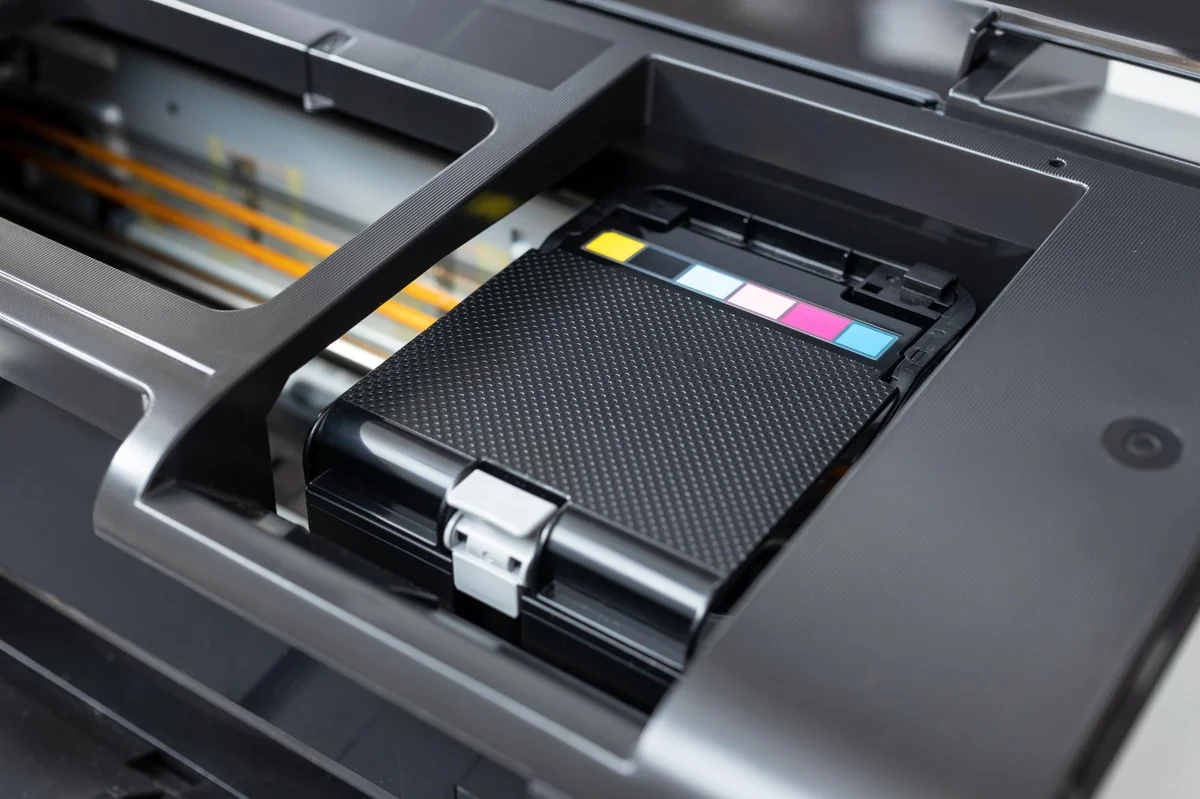
The most common error is conflating resolution with throughput. A higher nozzle count does support finer dot placement, but in wide-format solvent production environments, the bottleneck is rarely print quality at the head level — it’s media handling speed, ink drying cycles, and job changeover time. For buyers sourcing equipment or printhead assemblies matched to mid-volume commercial workflows, the Konica 512i solvent printer often delivers a more favorable output-per-hour figure precisely because its architecture is optimized for speed rather than micro-detail rendering.
There’s also a cost structure problem that gets overlooked. The 1024i configuration carries a higher component cost — both at acquisition and at replacement. Procurement teams that evaluate total cost of ownership only at the point of purchase miss the downstream impact on maintenance budgets, spare parts lead times, and supplier dependency. When sourcing printhead components through OEM channels, the 512i’s wider availability across established supply chains — including specification-matched suppliers like SINOTEC — translates into shorter replenishment cycles and lower risk exposure during high-demand periods.
- Assuming nozzle count directly equals production value — without accounting for the specific output demands of the operation
- Underestimating replacement part costs and lead times for higher-complexity configurations
- Failing to assess whether existing RIP software and media profiles are certified or optimized for the selected printhead variant
- Overlooking the integration requirements that differ between the two configurations when retrofitting into an existing press setup
The right comparison isn’t 512 versus 1024 in isolation — it’s which configuration aligns with the actual job mix, media range, and operational cadence of the facility doing the work. That’s the question procurement teams should be answering first.
Supplier Verification Checklist: How to Source a Konica 512i Solvent Printer Without Getting Burned
Sourcing a Konica 512i solvent printer through third-party channels — whether via trading companies, OEM resellers, or direct factory suppliers — introduces a layer of procurement risk that technical specs alone won’t protect against. The printhead is precision-engineered, the configuration options are specific, and the downstream cost of a misrepresented unit is significant. Verification has to happen before the purchase order, not after.

Start with documentation. Any credible supplier should be able to provide traceable certification records for the printhead assembly, export compliance documentation, and clear statements on whether the unit ships as OEM, ODM, or refurbished. Vague answers here are a red flag — full stop.
- Request the printhead serial number and verify it against the manufacturer’s known product range for the Konica 512i solvent printer configuration you’re ordering
- Confirm whether the supplier stocks both 512i and Konica 1024i solvent printer variants — suppliers who handle both typically have deeper technical familiarity with printhead specifications and are less likely to substitute components
- Ask for sample output files or ICC profiles certified for the specific printhead variant, not generic media profiles
- Clarify MOQ thresholds, lead times for replacement nozzle plates, and whether spare parts are stocked locally or require international shipping
- Verify that the supplier’s quality control process includes nozzle-check documentation prior to dispatch — not just a visual inspection pass
- Confirm post-sale support scope: does it cover firmware, RIP software compatibility, or only hardware replacement?
Factory-side suppliers with export-oriented fulfillment operations — the kind that coordinate directly with international buyers on custom specifications — tend to offer more accountability at the documentation stage than intermediary resellers. That traceability matters when a unit arrives and the nozzle configuration doesn’t match what was quoted.
Payment terms are also a signal. Suppliers confident in their product and process will negotiate reasonable milestone-based terms. Those pushing for full upfront payment with limited pre-shipment inspection rights warrant additional scrutiny.
The verification process isn’t about distrust — it’s about establishing a supplier relationship that can support the operational demands of the equipment over its full service life, not just the initial transaction.
Hidden Operational Costs Buyers Must Factor Before Finalizing a Konica 512i Solvent Printer Order
Purchase price is the figure that closes deals. Operating cost is the figure that determines whether the deal was actually worth closing. For procurement managers evaluating a Konica 512i solvent printer, the gap between those two numbers deserves serious attention before any order is finalized.
Ink compatibility is the first place that gap opens. The Konica 512i printhead is engineered for specific solvent ink viscosity and chemical profiles. Running off-spec inks to cut consumable costs is a well-documented path to premature head failure — and replacement printheads are not cheap. Buyers should request the supplier’s approved ink specifications in writing and factor ongoing ink sourcing into the total cost model, not just the hardware line item.
Maintenance intervals compound quickly in high-throughput environments. Wiper blades, capping stations, and damper assemblies all have finite service lives. A machine running two shifts daily will cycle through these components at a rate that surprises buyers who modeled costs on single-shift assumptions. Before committing to a volume order, it’s worth mapping out a realistic consumables schedule against your expected print volume.
- Printhead cleaning solvent consumption — often underestimated on startup
- Waste ink management systems and disposal compliance costs
- Power draw and climate control requirements for stable printhead temperature
- Operator training time, particularly when transitioning from lower-spec equipment
- Firmware and RIP software licensing — not always bundled with hardware
Buyers sourcing at scale sometimes use the Konica 1024i solvent printer as a benchmark comparison when modeling operational costs across configurations — the 1024i’s higher nozzle count affects ink consumption curves differently, which matters when projecting cost-per-square-meter across a mixed fleet.
Spare parts availability is a long-term risk that procurement teams frequently underweight. A Konica 512i solvent printer acquired through a supplier with shallow inventory depth or no established service network can sit idle during a parts delay — and idle production equipment is a cost that shows up nowhere in the original quote. Suppliers with export-oriented fulfillment infrastructure, the kind that maintains documented parts pipelines for international buyers, tend to offer better continuity on this front than distributors who source reactively.
The operational picture only closes when all of these variables are modeled together. Hardware acquisition is the starting point — not the finish line.
Conclusion
The Konica 512i solvent printer is a capable, proven workhorse — but “capable” only converts to profitable if the supply chain behind it actually holds up under production pressure. That means parts availability, ink sourcing continuity, and a supplier who can move fast when something goes sideways. Those factors aren’t glamorous. They’re also not optional.
Don’t let the hardware spec sheet do all the talking.
Model the full operational cost before you commit — including downtime risk, consumables sourcing, and what your supplier’s response time looks like six months post-purchase, not just on the day they’re trying to close a deal.
Frequently Asked Questions
Q: What is the Konica 512i solvent printer and what is it typically used for?
UN: The Konica 512i solvent printer is a wide-format printing system built around Konica Minolta’s 512i printhead — a piezoelectric head designed for high-speed, high-resolution output on solvent-based media. It’s most commonly deployed for outdoor signage, habillage de véhicule, bannières, and POS displays where UV and weather resistance matter. The solvent ink formulation bonds directly to uncoated substrates, which is what separates it from aqueous or UV-curable alternatives in outdoor production environments.
Q: How long does the Konica 512i printhead actually last under production conditions?
UN: Printhead lifespan on the Konica 512i solvent printer depends heavily on ink quality, maintenance discipline, and daily print volume — but operators typically report usable life in the range of several hundred million to over a billion actuations under well-managed conditions. Cutting corners on ink compatibility or skipping routine purge cycles will shorten that window significantly. The printhead is the most expensive consumable on the machine, so treating it as a maintenance priority rather than a set-and-forget component is non-negotiable.
Q: Can I use third-party or compatible inks in a Konica 512i solvent printer?
UN: Technically, yes — the machine can run compatible inks, and many production shops do exactly that to manage consumable costs. The risk is real, though: viscosity mismatches or impure solvent formulations can clog nozzles, cause banding, or accelerate head wear. If you go the third-party route, source from suppliers who can provide verifiable ink specs matched to the 512i head parameters, not just a generic “compatible” label.
Q: Why do Konica 512i solvent printers develop banding, and how do you fix it?
UN: Banding on the Konica 512i solvent printer is almost always a nozzle issue — clogged or misfiring channels caused by dried ink, air ingestion, or a degraded printhead. Run a nozzle check first; if the pattern shows gaps, a targeted purge cycle followed by a head cleaning usually resolves it. Persistent banding that survives multiple cleaning cycles points to either a failing head segment or an ink supply problem upstream — check your dampers and ink lines before assuming the head is dead.
Q: How much does it cost to maintain a Konica 512i solvent printer annually?
UN: Annual maintenance costs vary widely based on print volume and ink sourcing strategy, but the major line items are ink consumption, printhead replacement cycles, solvent cleaning fluids, and occasional mechanical parts — capping stations, wiper blades, dampers. Shops running the machine at high daily volume often find that consumables outpace the amortized hardware cost within the first year. Modeling total cost of ownership before purchase — not just the sticker price — is what separates profitable operations from ones that get squeezed by operational overhead.
Q: Is the Konica 512i solvent printer still worth buying in a market with newer printhead generations available?
UN: The 512i head has a long production track record and a well-established parts and ink ecosystem — which actually works in its favor compared to newer platforms that haven’t had time to build supply chain depth. For buyers prioritizing proven reliability and accessible consumables over bleeding-edge specs, it remains a defensible choice. The calculus shifts if your work demands very high native resolution or specific ink chemistries that the 512i architecture doesn’t support well.
Q: What print resolution does the Konica 512i solvent printer support?
UN: The 512i printhead supports native resolutions typically ranging from around 360 à 720 dpi depending on print mode and pass configuration — adequate for most outdoor and large-format applications where viewing distance naturally reduces the resolution threshold. For close-range retail graphics or fine-detail indoor work, that ceiling can feel limiting compared to higher-resolution heads. Most operators find the speed-resolution trade-off acceptable for banner, fleet, and signage production at commercial scale.
Q: Where do I source replacement parts for a Konica 512i solvent printer if my local distributor can’t help?
UN: Parts sourcing is genuinely one of the pressure points for 512i operators — especially outside major markets where distributor networks thin out fast. OEM-oriented suppliers with export capabilities, including China-based digital equipment specialists like SINOTEC, often carry compatible components and can fulfill international orders with shorter lead times than regional distributors. The key question to ask any supplier is not just “do you have the part” but “what’s your lead time six months from now” — availability at point of sale is easy; consistent restocking is the real test.