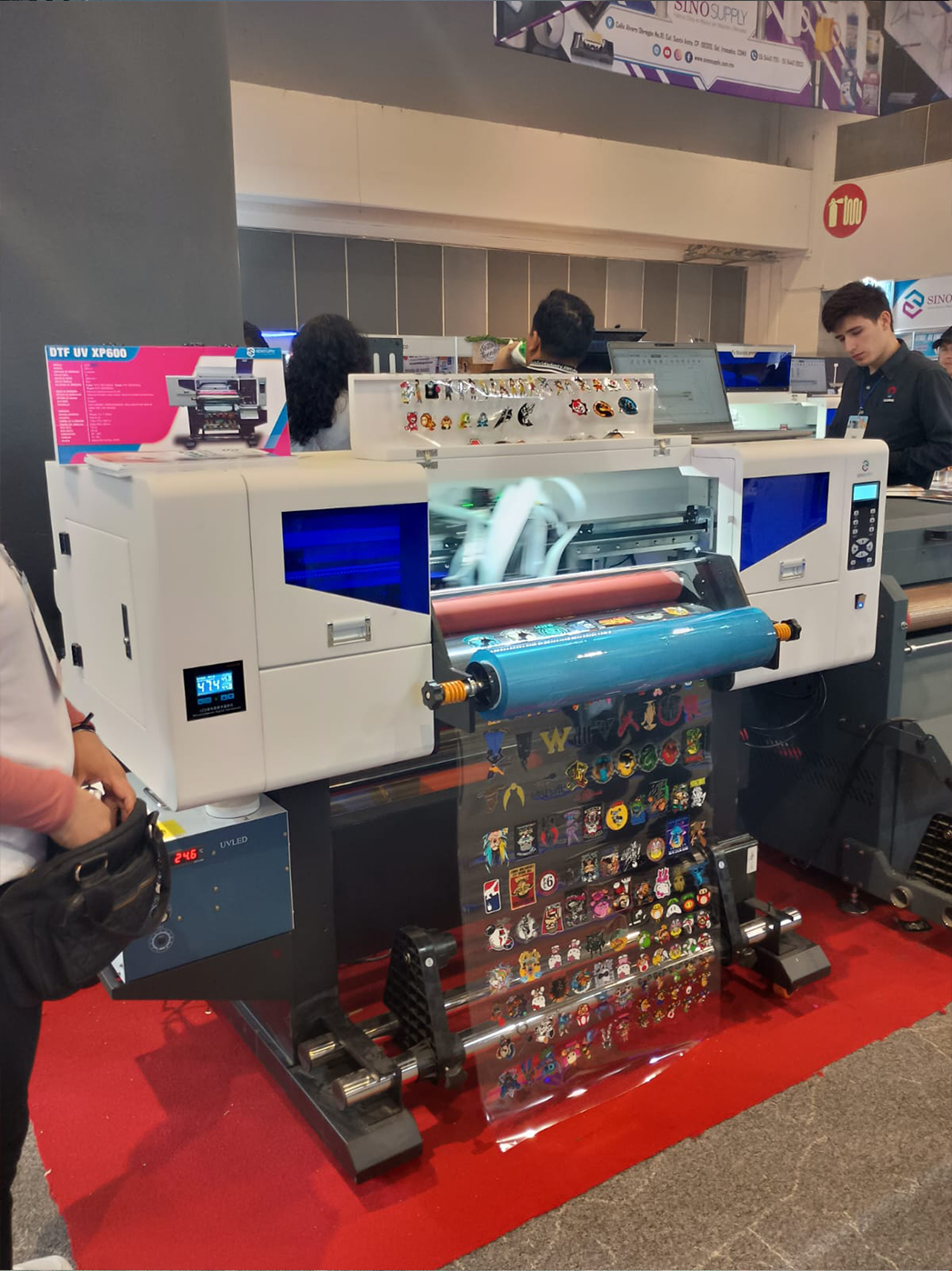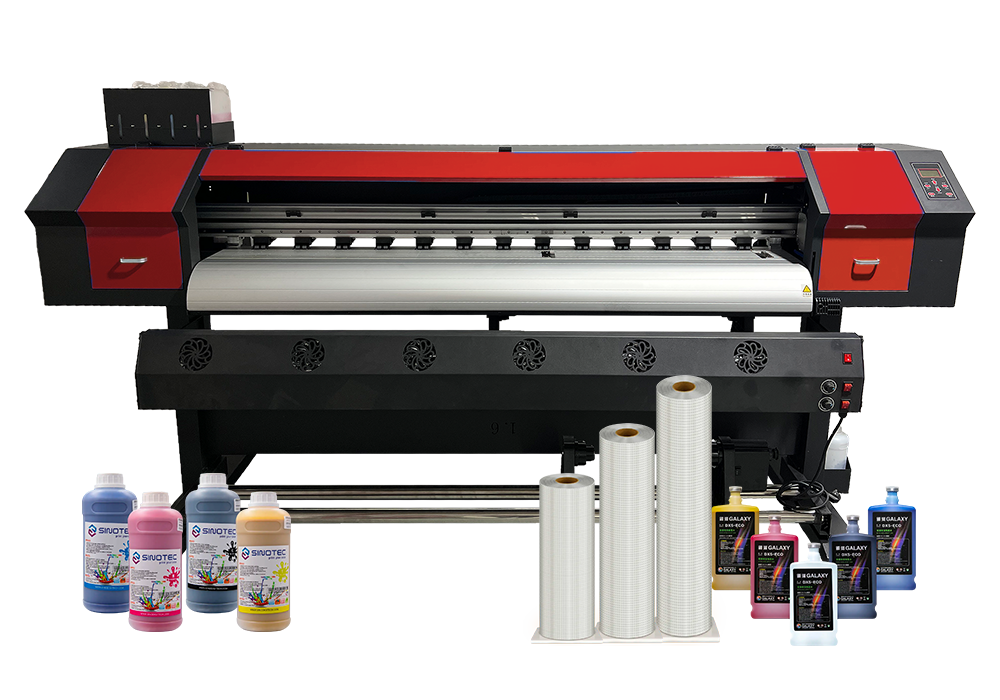
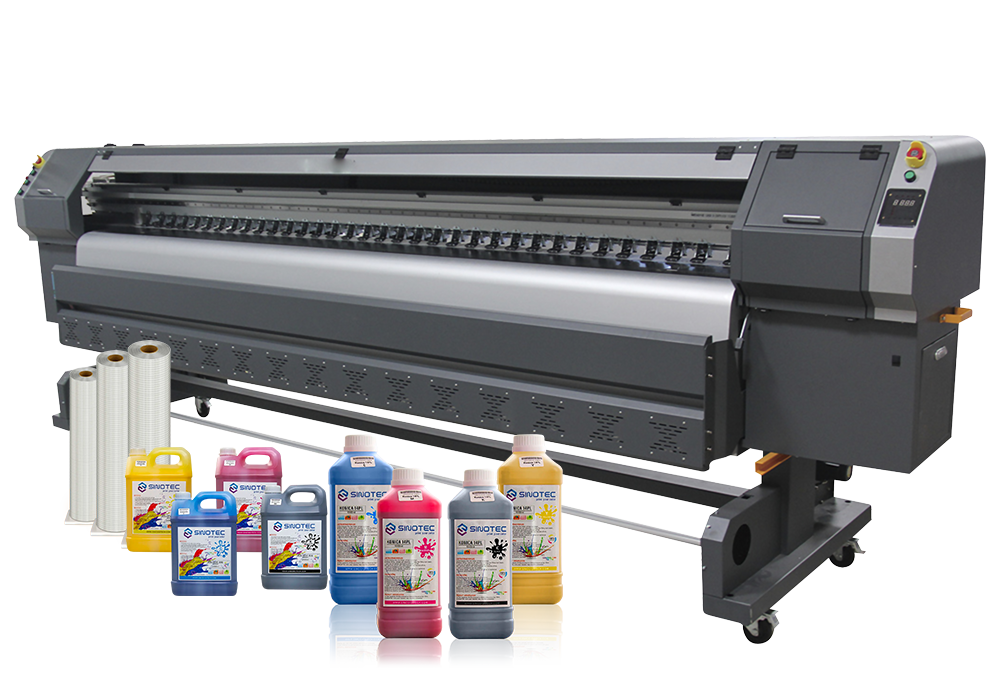
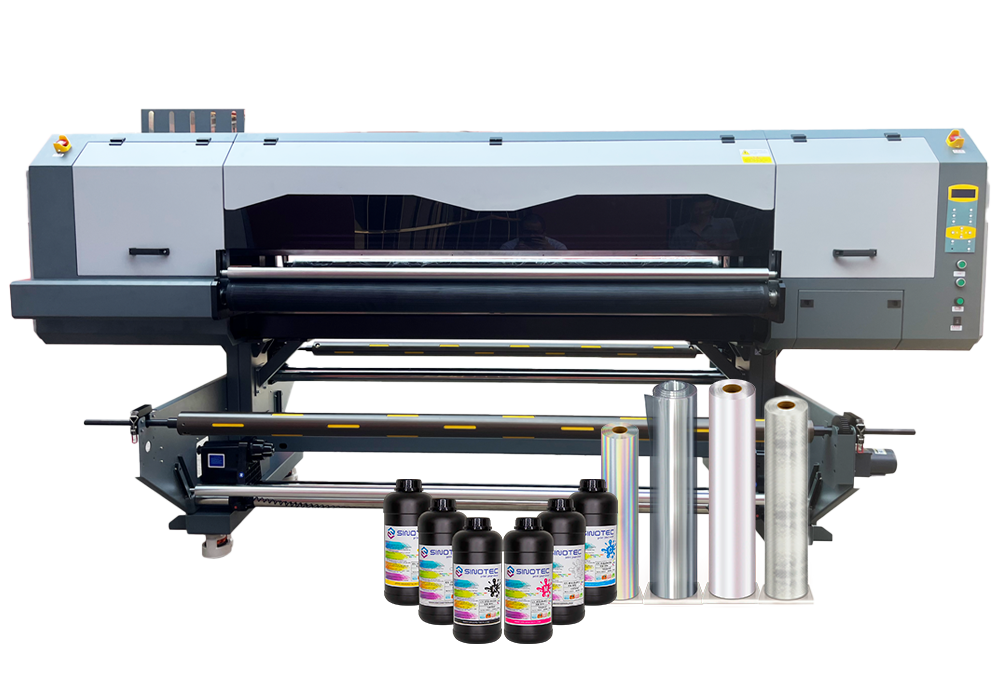
DTF1

DTF Printer vs. Traditional Heat Transfer: The Best Choice for Small-Batch Garment Customization

The custom apparel market is growing at a phenomenal rate, with the on-demand printing set to create more than 10 billion dollars in world income by 2027. To entrepreneurs and small workshops, this expansion brings opportunitybut also a choice: what printing technology can give them professional results without busting the bank? You are already at the forefront if you are considering a Imprimante DTF to run your operation.

This guide cuts the noise to compare the technology of the direct-to-film printers to the traditional heat transfer process in terms of cost, quality, workflow, and scalability of batches with fewer than 100 units. You will also know when a DTF t-shirt printer is the best choice over vinyl or screen printing- and when it is still strategic to use the old-fashioned techniques.

Understanding DTF Transfer Printer Technology for Custom Apparel

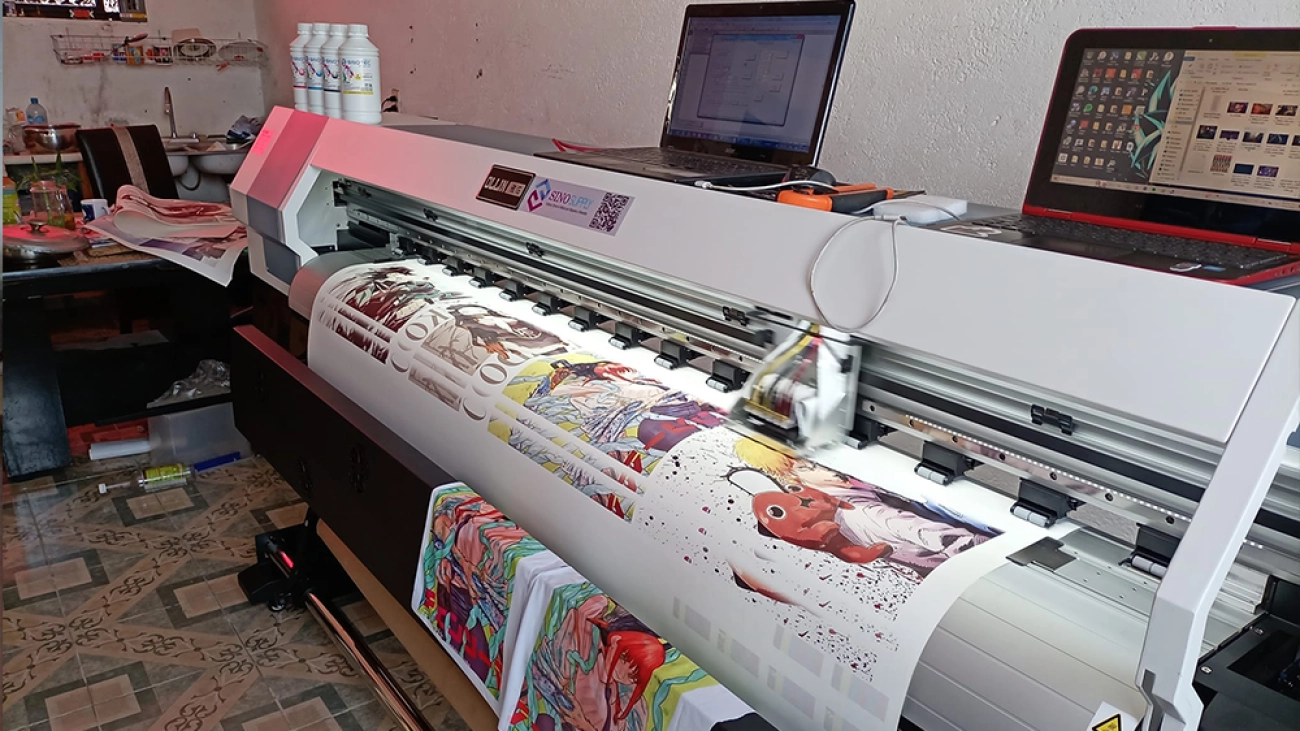
The DTF transfer printer is an important advancement in the digital decoration of garments. This system does not use screens, weeding or pretreatment sprays, but transfers the design onto a special PET film, sprays adhesive powder on it, and then presses the transfer onto cloth. The result? Bright, stretchy prints that stick onto cotton, polyester, blends, and even the most difficult materials, such as nylon or leather.

How Direct-to-Film Printing Works

The procedure starts with computerized art that is transmitted to the printer. The direct-to-film printer applies CMYK+ white ink layers on the film. Once printed, finely adhesive powder is sprinkled over the wet ink and dried under heat. When cooled, the transfer can be applied to garments. The workflow excludes color separation processes and reduces setup time for short runs.

Key Components of a DTF T-shirt Printer Setup

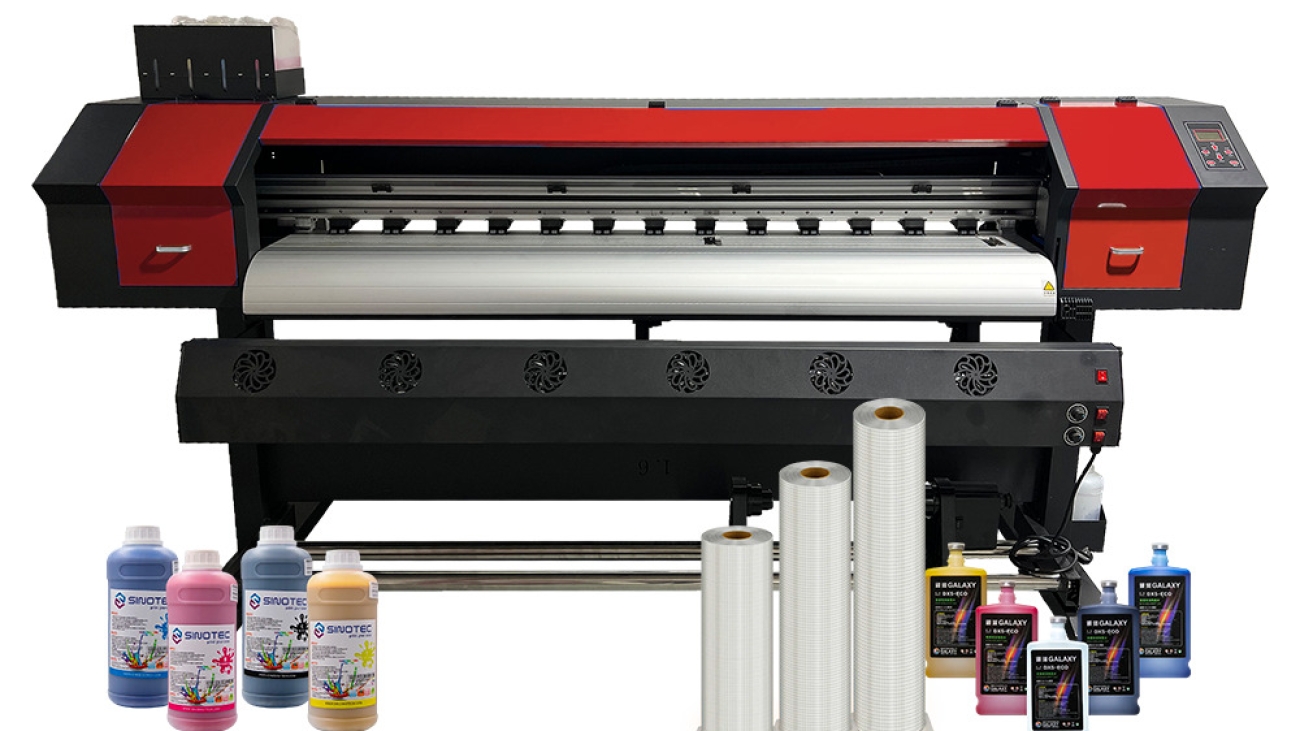
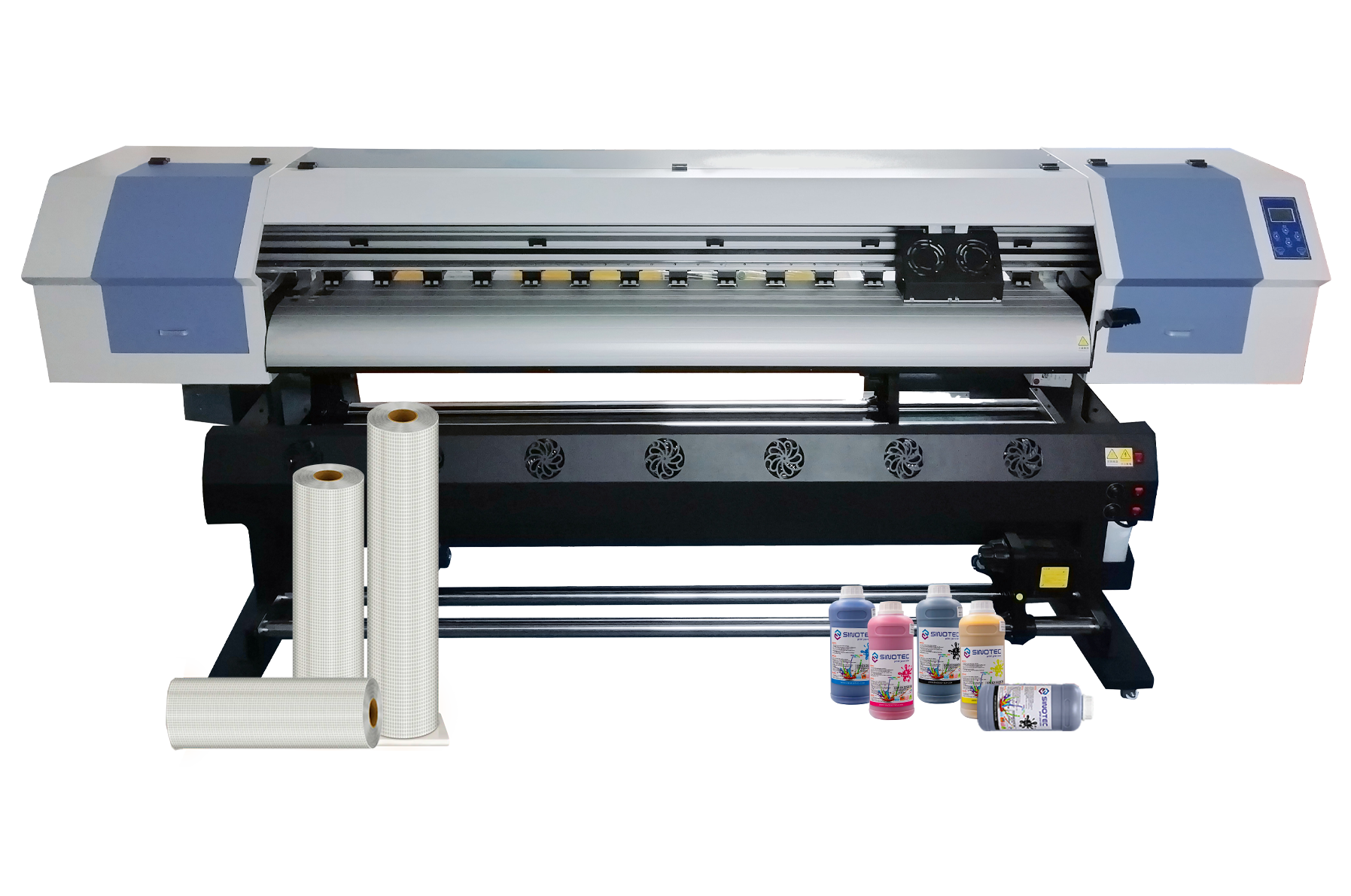
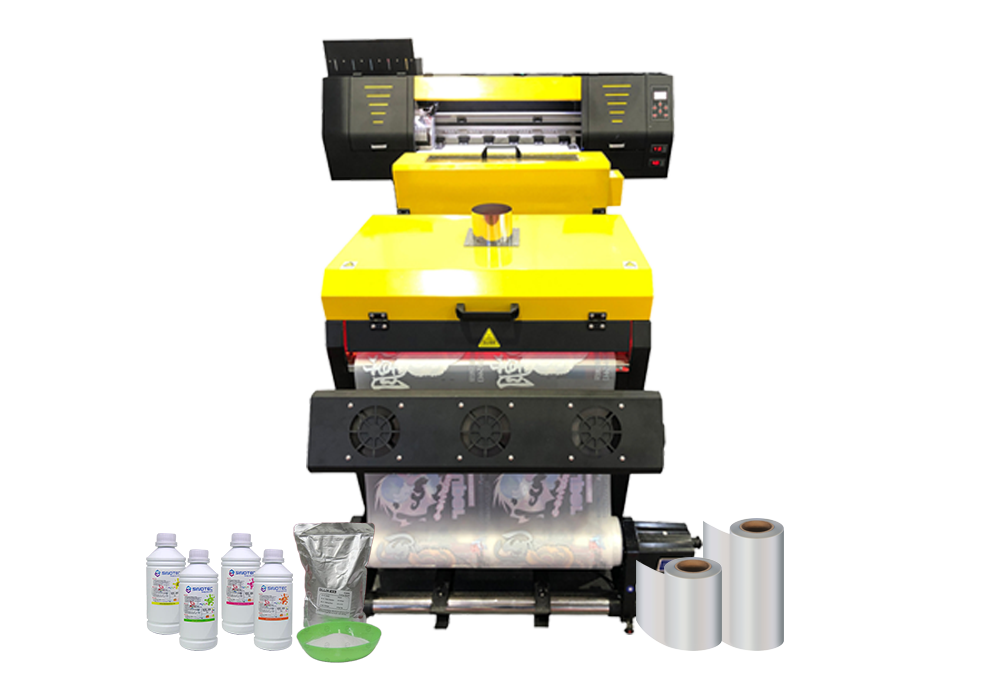
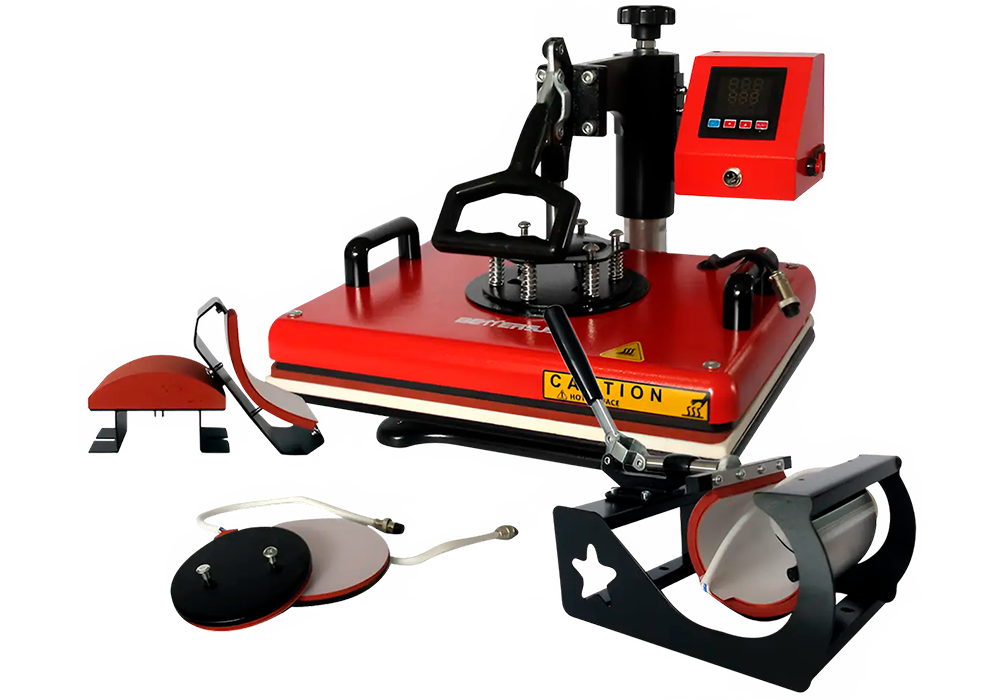
A full station consists of the printer itself, a powder applicator or manual one, a curing oven or heat tunnel, and a good-quality heat press. To minimize waste and enhance uniformity, modern units may incorporate powder management systems.

Traditional Heat Transfer Methods: Screen Printing and Vinyl Cutters

There are two major methods under the traditional heat transfer: screen printing transfers and vinyl cutting. Vinyl is a technique where designs are cut out of colored paper, excess material weeded, and pressed onto clothing. Transfers in screen printing are transferred using ink forced through mesh screens to transfer paper, which is then heat-applied to the fabric.

When Vinyl Heat Transfer Still Makes Sense

Vinyl is still perfect when you need a simple, one-color logo on light garments. It needs a few equipment requirements and has excellent dark fabric coverability in the absence of white ink underbases. Vinyl cutters are predictable and have low complexity, which makes them effective when businesses are related to text-based designs or athletic numbers.

Limitations of Screen Printing for Small Runs

Screen printing transfers require a lot of preparation: screen burning, ink mixing, and registration alignment. These measures pose a high fixed cost, which only becomes cost-efficient at higher production volumes. In batches of less than 50, the unit cost and time spent may discompensate the cost advantages in durability.

FeatureImprimante DTFVinyl Heat TransferScreen Printing Transfer
Setup TimeVery LowLowHigh
Best for Small BatchesExcellentBienPoor
Full-Color PrintingYesLimitedYes
Fabric CompatibilityCotton, Polyester, Blends, NylonMostly Cotton/PolyesterBien
Dark GarmentsExcellentExcellentExcellent
Labor IntensityLowHigh (weeding)High
Per-Shirt Cost (Small Runs)LowMediumHigh
DurabilityHighMediumHigh
Stretch PerformanceExcellentModerateBien
Learning CurveModerateEasyAdvanced
Imprimante DTF

Cost and Efficiency Comparison: DTF Printer vs Traditional Methods

Startup costs vary significantly between DTF and traditional printing methods. A typical professional DTF printer system costs between 3,000 and 8,000 dollars, including printer, powder system, and curing unit. Conventional screen printing needs exposure units costing $5,000-15,000, presses, and drying racks, as well as continued expenditures on screens and emulsions.

DTF is more cost-effective for small-batch production.

  • DTF: $1.50–$3.00 per shirt (including film, ink, powder)
  • Vinyl: $2.00-4.50 per shirt (material and weeding labor)
  • Screen transfer: $3.00-6.00 per shirt (set amortized on small run)

The efficiency in terms of time also skews the scales. A DTF transfer printer is capable of creating ready-to-press transfers in minutes with no weeding or screen reclamation. Conventional techniques increase the preparation time per design by 15-45 minutes.

MethodEstimated Cost Per ShirtIdeal Order Size
DTF Printing$1.50–$3.001–100 pcs
Vinyl Transfer$2.00–$4.501–30 pcs
Screen Printing$3.00–$6.00100+ pcs

Print Quality and Durability: Which Method Delivers Better Results?

In the opinion of customers, the two things that are most important when it comes to your work are visual impact and longevity. Direct to film printer has photorealistic detail, smooth gradients, and soft-hand finishes. The white underbase allows bright colors to be used on dark clothes without making the fabric hard.

Industry standards used to test durability include wash resistance, crack resistance, and colorfastness. Comparison of methods can be seen here:

  1. Wash durability: DTF transferable when properly cured, can resist more than 40 commercial washes.
  2. Stretch recovery: DTF prints withstand integrity on performance fabrics as well as vinyl.
  3. Color accuracy: Digital DTF processes remove the error of screen registration.
  4. Hand feels: DTF adhesive coatings are thin enough not to disrupt garment drape.

Vinyl used in traditional format provides good opaqueness but can be hard and break when washed frequently. Screen-printed transfers are durable, with a tendency to compromise fabric breathability.

Business GoalBest Printing Method
Small custom ordersImprimante DTF
Large bulk productionScreen Printing
Names & jersey numbersVinyl Transfer
Photographic artworkImprimante DTF
Multi-fabric printingImprimante DTF

Why Choose SINOTEC

The reliability of equipment and technical support is important when it comes to growing your customization business as much as print quality. SINOTEC collaborates with printing and fabrics companies across the world to offer more than hardware-we offer end-to-end solutions.

Having more than 20 years of experience in the industry, SINOTEC integrates the latest digital printing technology, laser technology, and embroidery technology with local operation support. We have a global network throughout Eastern Europe, Asie du Sud-Est, Africa, and Latin America with overseas branches that guarantee responsive logistics and after-sales service.

All the partner factories are carefully reviewed in their qualification and have full-process quality inspection systems. You want to start a new line of DTF t-shirt printers, or you want to streamline the current processes. SINOTEC will assist you in transforming the creative ideas into a real, profitable outcome. Visit our entire portfolio of digital fabrication equipment that is geared towards sustainable development.

Conclusion

The decision of whether to use a DTF printer or a standard heat transfer depends on three variables: batch size, fabric variety, and quality requirements.

To begin with, the DTF technology minimizes the setup time significantly and cost when the run is less than 100 units. Second, it can print vibrant, soft-hand designs on just about any fabric, which is why it increases your service offerings. Third, the current DTF transfer printer systems provide high-quality and professional longevity that meets the repeat customers.

Get in touch with SINOTEC via contact today to discuss how our expert DTF solutions and international support system can help you achieve the success of small-batch customization faster. The future of apparel decoration lies in dynamic, technology-oriented businesses-place yours to the fore.

Frequently Asked Questions

Which DTF printer is most suitable for a small business start-up?

Basic models of DTF printers of well-known brands have 13 -16 inch print width, an automatic powder feed system, and easy-to-use RIP software. When in your learning curve, prioritize those units that have local technical support and consumables that can be obtained at any time to reduce downtime.

Comparison of DTF transfer printing to cotton sublimation?

A DTF transfer printer is unlike sublimation, which only bonds to polyester; a DTF transfer printer bonds to cotton, blends, and dark fabrics with a white underbase using white ink. This flexibility enables DTF to be used in stores that deal with a wide range of types of garments without having to keep several printing systems.

Will a direct-to-film printer be able to work on dark clothes without pretreatment?

Yes. Direct-to-film printer workflows use the white ink layer to give opaqueness to black or colored garments without pre-spraying the garments. This removes an additional process that is needed in certain DTG processes, simplifying the production of mixed-order batches.

How long does it take on average to receive DTF t-shirt printer orders?

File approval for a pressed garment. A DTF t-shirt printer workflow can complete small batches (10-50 units) in 1-2 hours. This velocity enables fulfillment on the same day- a strength in the face of on-demand business models that compete with fast-fashion retailers.

Are batches of fewer than 50 pieces more cost-effective to print on DTF than on vinyl?

Generally, yes. Although single color designs can be produced with lower material costs using vinyl, the digital workflow of DTF has removed weeding labor and set-up time. In transfer printing and photographic designs with quantities of less than 50 items, the economics of DTF transfer printing tend to achieve a reduction in total per-garment cost of 20-40 percent.

What is the duration of DTF transfer in comparison to conventional heat press methods?

DTF transfers are transferred, when successfully cured, to meet or surpass industry wash-fastness standards (AATCC Test Method 61). They usually retain color vividness and stickability with 40-50 commercial washes- equal in quality to screen printing transfers and better than basic vinyl applications.

Imprimante UV DTF

UV Flatbed Printer vs. UV Roll-to-Roll Printer: Selection for Different Materials & Thickness

Selecting an inappropriate UV printing system may result in a constraint of production, lower profits, and compel your team to turn down lucrative orders. The most common comparison between a Imprimante UV à plat and a Imprimante hybride UV is simply by the price of the machine, yet the more appropriate question is as follows: what types of materials, thickness, and types of order will you be printing most of the time?

The popularity of UV printing is due to the fact that UV inks are cured almost immediately in ultraviolet light. This enables print shops, signage companies, distributors, and manufacturers to print on a wide range of rigid and flexible substrates with quicker finishing times.

In this guide, you will get to know the major distinctions between flatbed, roll-to-roll, and hybrid UV systems. You will also know which UV printing machine is best suited for acrylic, verre, PVC board, metal, banners, vinyl, leather, packaging samples, signage, and thicker materials.

Large Format UV Printer Basics: How UV Printing Works

A large-format UV printer lays ink onto the surface of the material. The ink is then cured by UV lamps, nearly instantly forming a printed layer that adheres to the substrate. Unlike solvent or water-based printing, UV printing does not take a long time to dry.

This renders a UV printing machine handy in the tasks of high turnover, low-run customization, and multi-material printing. Typical uses are indoor signs, outdoor boards, display panels, packaging samples, decor panels, promotional items, and industry marking.

Key advantages of UV printing

  • Supports many rigid and flexible materials
  • Offers fast curing and quicker finishing
  • Can print white ink, varnish, and layered effects
  • Helps with custom, short-run, and on-demand jobs

Flexibility is the key advantage in the case of B2B buyers. A single machine is frequently able to support multiple types of services, and this enables companies to expand into signage, advertising, packaging, display, and customized products.

UV Printing Machine Types: Flatbed, Roll-to-Roll, and Hybrid

Buyers ought to be aware of the three major types of printers before settling on a UV printing machine. They all accommodate dissimilar workflows and content material.

UV flatbed printer for rigid materials

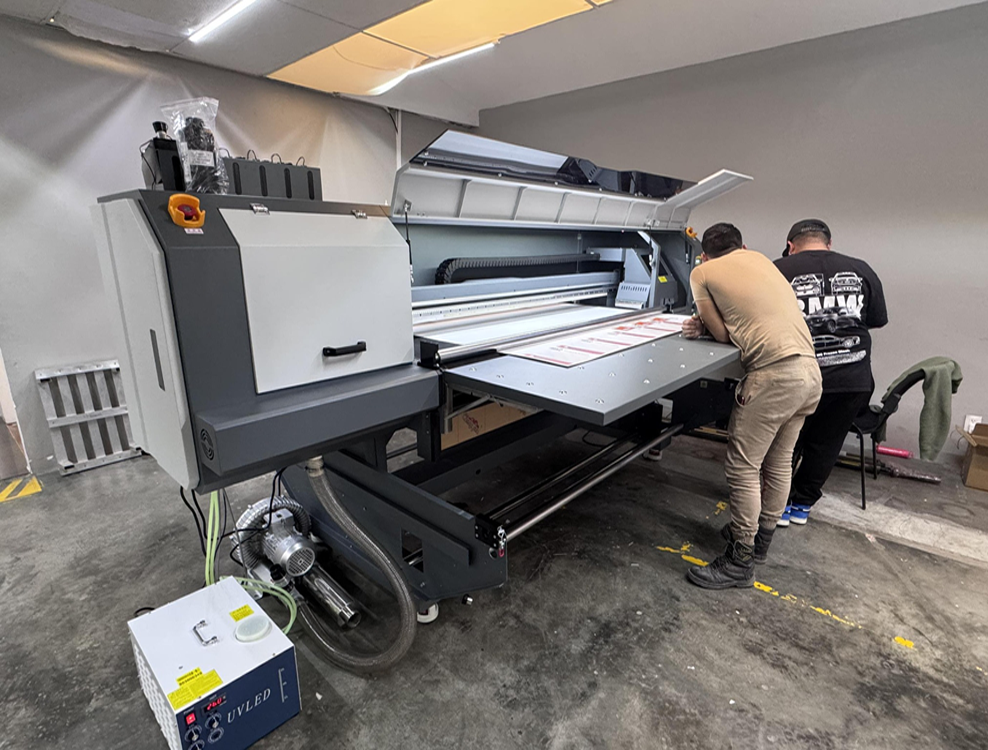
A UV flatbed printer employs a flat table on which rigid materials are laid and secured. The printhead is passed over the surface, and it prints directly onto the object or sheet. This is effective with acrylic, foam board, wood, verre, ceramic tiles, metal panels, PVC board, leather pieces, and packaging samples.

Flatbed systems perform optimally when the thickness, flatness, and precision of material positioning are crucial. Signage companies, manufacturers of decorations, display manufacturers, and printers of industrial products often use them.

Roll-to-roll UV printer for flexible materials

A roll-to-roll UV printer is created with flexible media that is provided in rolls. It is a powerful choice in vinyl, banners, films, wallpaper, toile, backlit materials, and soft signage.

This type of machine tends to be more efficient at workflow with long continuous prints. Nevertheless, it can not be applied to thick boards, heavy panels, or solid objects.

UV hybrid printer for mixed production

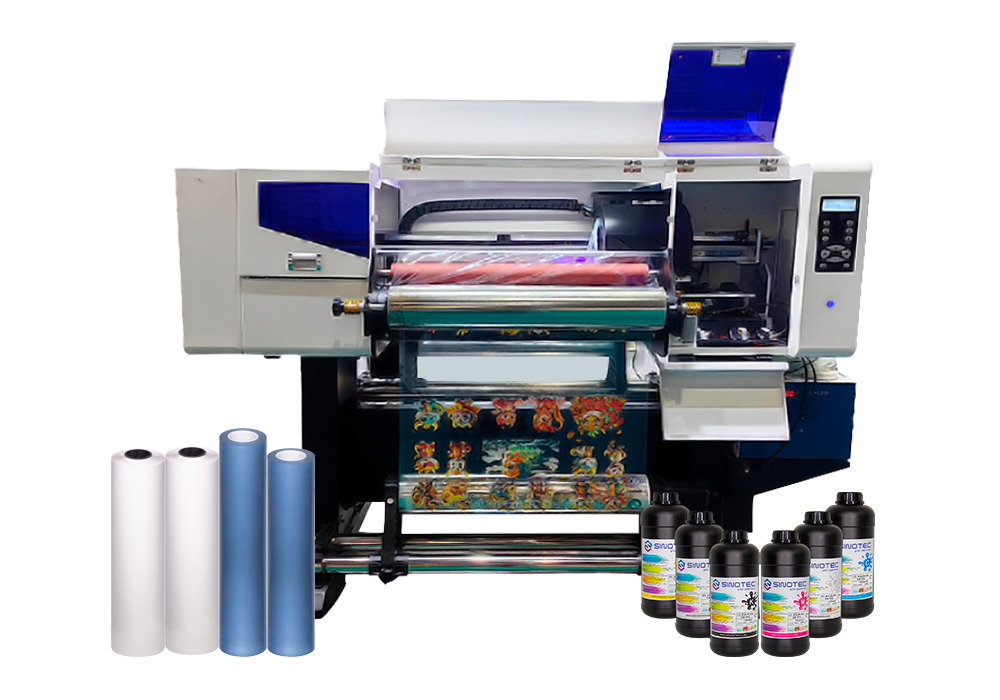
A UV hybrid printer has the ability to integrate flatbed and roll-fed. Depending on the machine setup, it can print on both rigid board and flexible roll media. It is handy to a company that manufactures signs, banners, display graphics, boards, and films under a single facility.

Imprimante UV à plat

UV Flatbed Printer Material Selection for Rigid and Thick Substrates

When you are printing on rigid, heavy, or thick materials, a UV flatbed printer is typically more suitable. The flat table upon which the substrate is placed when printing can assist in enhancing accuracy and minimizing the movement of materials.

General flatbed materials are acrylic, PVC, Tableau KT, foam board, aluminum composite panels, verre, ceramic tile, metal sheet, wood board, leather, phone cases, packaging samples, and display products.

Why thickness matters

Flatbed machines can frequently permit a larger distance between the printhead and the material surface. This is useful when printing on heavy acrylic, wood panels, display blocks, product samples, or shaped objects. Depending on the model, some machines can print on thin sheets as well as several centimeters thick.

As a buyer, the choice rule is simple: when the majority of your orders are with rigid panels, boards, sheets, or objects, a flatbed model tends to provide better control and more stable results.

When a flatbed is not ideal

Long rolls of banner, wallpaper, vinyl, or film might not be best suited to a flatbed system. Though a few flexible sheets can be printed on a flatbed, loading and unloading can be slow, which slows the production.

UV Hybrid Printer Selection for Flexible Media and Mixed Orders

A UV hybrid printer would be a good idea if your business has more than one market, and you would not want to have two types of machines (rigid and roll). Particularly, it is applicable in the expansion of print shops, signage companies, and distributors that require a flexible production without excessive use of the floor space.

Signage boards, advertising panels, vinyl rolls, flexible film, banners, exhibition graphics, POP displays, foam board, PVC board, and composite sheets are all typical of hybrid UV systems.

Main benefits of hybrid systems

A hybrid model assists businesses in increasing their service list. A print shop can take both board and roll jobs, instead of the jobs being rejected due to the different material format.

This flexibility will be able to enhance the use of machines, particularly for companies that get mixed orders in terms of retail brands, event companies, building material suppliers, and advertising agencies.

Key buying checks

Before buying a hybrid printer, check:

  1. Maximum rigid material thickness
  2. Maximum roll width and roll weight
  3. Feeding accuracy for long flexible media
  4. Vacuum strength and media stability
  5. White ink circulation system
  6. Spare parts and technical support

A hybrid printer may prove to be a wise purchase, but only when it has the right specifications to meet your actual production requirements.

Large Format UV Printer Comparison by Material, Thickness, and Workflow

The right large-format UV printer will be determined by your material list, volume of production, and growth plan. Price is important; however, daily workflow is more important.

Selection FactorUV Flatbed PrinterRoll-to-Roll PrinterUV Hybrid Printer
Best forRigid sheets and objectsFlexible roll mediaMixed rigid and roll jobs
Material examplesAcrylique, verre, wood, metal, PVC boardVinyl, banner, film, wallpaperPlanches, vinyl, banners, films
Thickness supportStrongest optionVery limitedModel-dependent
Production styleShort-run, custom rigid jobsLong continuous printingMulti-material production
Buyer fitSignage, décor, industrial printingBanner and advertising shopsGrowing print shops and distributors

Practical selection rule

Select a flatbed model when your primary business is printing in rigid materials. Select a roll-to-roll machine when your job is primarily flexible media. Adopt a hybrid model when you have to have a single system with both boards and rolls, and you can afford a more flexible production workflow.

Imprimante hybride UV

Why Choose SINOTEC DIGITAL

To buyers who make comparisons between digital printing, UV printing, laser, embroidery equipment, and consumables, the ability of the supplier is as important as the machine specifications. SINOTEC DIGITAL is a Chinese company located in Guangzhou, Chine, and is a supply chain and technical service provider, with over 20 years of experience in the industry.

The company assists international customers with digital printing and UV printing systems, laser engraving, cutting and marking equipment, embroidery equipment, authentic consumables, outils, et accessoires. This expanded equipment platform can assist print shops, distributors, signage firms, and manufacturers to find compatible solutions through a single knowledgeable partner.

Regional support is another strength. SINOTEC DIGITAL has licensed distribution networks in Eastern Europe, le Moyen-Orient, Asie du Sud-Est, Asie du Sud, Afrique du Nord, et Afrique de l'Ouest. It also has foreign subsidiaries in Mexico, Colombie, Pérou, and Uganda to assist in localized marketing, entreposage, logistique, ventes, and after-sales services.

In the case of B2B purchasers, this technology provision, operational service, and global locality may minimize sourcing risk and assist in the long-term performance of equipment.

Frequently Asked Questions

What is a UV flatbed printer and a UV hybrid printer?

A UV flatbed printer is used to print primarily on stiff materials on a flat table. Depending on the configuration, a UV hybrid printer can print on rigid boards and flexible roll materials. Flatbed is used with thick materials and is hybridized with mixed production.

What type of UV printing machine should be used on thick materials?

Thick materials tend to be best printed by a flatbed UV printing machine due to better table support and printhead clearance. It has the ability to deal with boards, panels, samples, and some shaped products. Look at the maximum height to be printed before purchasing.

Is a UV hybrid printer able to substitute flatbed and roll-to-roll printers?

Some businesses can use a UV hybrid printer instead of separate machines, particularly when the volume of orders is moderate and the type of materials used is different. Nonetheless, roll printing with high volume or special thick-object printing might still be better on special machines.

Do signage companies need a large-format UV printer?

Yes. A big format UV printer will be able to print onto acrylic, foam board, aluminum composite panels, PVC sheets, banners, vinyl, and display materials. Signage consumers need to compare print width, performance of white ink, quality of curing, and handling of the material.

What are the materials that a UV flatbed printer is capable of printing?

A UV flatbed printer can print on acrylic, verre, metal, wood, ceramic, PVC board, leather, foam board, packaging samples, and a wide variety of promotional products. Certain hard materials might require primer or surface treatment to allow adhesion of ink.

What is the best way for B2B buyers to select a supplier of UV printing machines?

B2B purchasers ought to consider the quality of the machines, availability of spares, training, installation services, availability of ink, software services, and after-sales services. An experienced export supplier that is supported in the region would assist in lessening downtime and enhancing the ROI.

Conclusion

The optimum UV printing system is based on three factors: type of material, material thickness, and workflow per day. The Imprimante UV à plat can be used with rigid and thick substrates. A roll-to-roll printer is most effective with flexible media. A Imprimante hybride UV provides the expanding print shops with a greater degree of flexibility as they can work with both boards and rolls.

Before investing, make a list of your best materials, average order size, thickness range, and future service objectives. The right UV printing machine must not only print today, but also help your future business grow.

Need reliable UV printing devices, services techniques, supplies, and sourcing advice? Contact SINOTEC DIGITAL and seek professional assistance in your next printing investment.

imprimante à solvant

Eco-Solvent Printer vs Solvent Printer: Balancing Environmental Requirements & Print Quality

When coming across the world of Large format printing you are most likely to find 2 major types, Imprimantes éco-solvant and -solvent printers. Both are appreciated for the ability to do quality prints and provide outdoor longevity. In this introductory piece, we will talk about the general tech behind said printers, the advantages of them and how they compare to each other in terms of environmental friendliness and print quality.

Understanding Eco Solvent Printers

Imprimantes éco-solvant, which include the Eco solvent inkjet printer , utilize eco-solvents that are more gentle on the environment in comparison to conventional solvents. If you are worried about how your printing gets affecting the environment, these printers are perfect. These printers use solvents that are extracted from refined mineral oils (ether extracts) with less volatile organic compounds (VOCs).

Benefits of Eco Solvent Printers:

Lower Environmental Impact: They have lower VOC emissions, in comparison to varnishes.

Safety: Being much safer for operators to use and you don’t need heavy ventilation.

Material Compatibility: Excellent for printing on variety of coated and uncoated substrates.

Exploring Solvent Printers

solvent printers are somewhere in between eco solvent and traditional solvent printers. The solvents that they use fall between the ones used in eco solvent printers (higher strength than eco) and those used in hard solvent printers (lower strength than hard). This form of printer is suitable for prints that have a more robust durability, and can resist many environmental factors but maintain a fairly low effect vias on the environment.

Advantages of Solvent Printers:

  • Durability Improvement:Increased resistance to the elements.
  • Quality Speed: Faster printing times without compromising on print quality.
  • Economical: More affordable than eco solvent printers in operation also.

Choosing the Right Printer:

  • For Environmentally Friendly Prints:Go for an eco solvent printer.

Durability / Cost – Imprimante à solvant

Knowing the differences between these two kinds of printers, you can make an educated judgment for your printing requirements and environmental worries. Whether an eco solvent or solvent printer, both will have different purposes as well as using benefits for your printing project.

imprimante à solvant

Distinction Between Eco Solvent Printer And Solvent Printer

Tips to Choose Between Eco Solvent Printer and Solvent Printer Depending on eco solvent printer or solvent printer Whether you are choosing between a sub para, understanding the basic differences can help you select equipment for your printing requirements. As we mentioned earlier, both printers are the most saleable printers in Outdoor printing machine realm but different environment and quality cater.

Environmental Impact and Safety

Eco Solvent Printers:

  • Type of inks used:Eco solvent printers are filled with eco solvent inks that come out ether extracts and is taken from refined mineral oils. These inks are less aggressive and less dangerous, we can use them indoors without extensive ventilation.
  • Operator Safety:Being less toxic, the eco solvent printers expose operator to lesser health annouces that is affiliated with long-term exposure to solvent fumes.

Solvent Printers:

  • Inks used: Medium Solvent printers use inks that are aggressive (more than eco solvent but less than traditional solvent).
  • Operator safety:These 3D printers still need good ventilation, but pose a lower risk to health than the solvent inks with stronger solvents.

Print Quality & Materials Compatibility

Eco Solvent Printers:

Depending on the specifications of the printer and ink type, they may also have better white or metallic ink options for added durability Unlike large-format eco-solvent printers, which use solvent-based inks where coated substrates are preferred but uncoated substrates can be used as well,-Direct-to-Surface Printers-these printers tend to work well on a variety of coated and uncoated material such as vinyls, polyesters and some paper/canvases.

  • Print Quality: Eco solvent inkjet printers are capable of rendering high-quality prints with exceptional color accuracy and vividness providing a durable UV resistant output.

Solvent Printers:

Material Compatibility: full solvent printers can print on a wider variety of materials than eco solvent or UV and some substrates that are not appropriate with eco solvent inks.

Print Quality: The print quality may be good but not as much in color range and vibrancy compared to the eco-solvent printers.

Cost-Effectiveness and Maintenance

Eco Solvent Printers:

Cost Off The Bat: For the most part, these printers are typically cheaper than outside solvent printers.

Maintenance Eco solvent inks tend to be less corrosive than solvent and water based inks which means the print heads / mechanical components tend to have a longer life span.

Solvent Printers:

  • Very First Price: These printers typically have a somewhat greater initial price due to their capabilities of handling various materials.
  • Maintenance:More aggressive inks can cause parts to wear more quickly requiring higher maintenance.

Deciding on whether to go for an eco solvent printer or a solvent printer determines how the particulars of what you need relate back to environmental safety, material compatibility and cost. For lower-run, indoor safe and less-care printerEco Solvent printer is your shot. A solvent printer will be the better option if you have the required know-how to deal with slightly more demanding upkeep and want a machine that can print on a wider spectrum of materials.

Benefits of Eco Solvent Inkjet Printers for Outdoor Printing

Now, may, you have been searching for why to choose Eco Solvent inkjet printers for outdoor applications? These eco-friendly (also called no-cartridge) printers are great for outdoor quality prints. So, you will think about the eco solvent ink-jet printer for your outdoor printing requirements.

Enhanced Durability

The idea behind an eco solvent inkjet printer is most notable for the improved durability of prints. The eco solvent inks are more resistant to weathering, eau, and UV rays that allows their best use outside installations.

  • Weather Resistance: Prints are not prone to fading or degradation in various weather conditions.
  • Water Resistance:Eco solvent inks deliver much better water resistance, which is necessary for outdoor jobs.
  • Resistant to UV: These inks are a special formulation which can reduce fading when exposed to UV lighta pigment ink of course!

Environmental Friendliness

These printers utilize environmentally-friendly inks, which are less harmful to the environment than conventional solvent printing. Printing companies are using eco-friendly inks, which make the ideal choice for all of those businesses who want to lower their carbon footprint.

  • Lower VOC Emissions: Eco solvent inks emit lower levels of volatile organic compounds (VOCs) than traditional solvents, making them better for the environment and healthier for operators.
  • Safer Work Environment: The decrease in harmful emissions leads to a more secure and healthier workplace.

Cost-Effectiveness

Eco solvent inkjet printers are surprisingly cost-effective over time-despite their advanced technology. This can be extremely important for outdoor printing jobs that require large amounts of ink, as they provide low maintenance costs and efficient ink use.

  • Ink Efficiency: The amount of ink used by these printers to print good quality prints is usually less, thus decreasing the cost per print.
  • Maintenance costs: While traditional solvent printers require regular upkeep, an eco solvent printer tends to be less maintenance-intensive, leading you to save on operational costs over the long-term.

Versatility in Applications

Eco solvent inkjet printers are seen as one of the biggest advantages due to their durability, eco-friendliness and versatility. They work with different printing materials and applications to suit almost all outdoor needs.

  • Substrate: Eco solvent printers print to commercial substrates which ranges from vinyl to canvas without affecting the quality of prints.
  • Application Type: They are suitable from outdoor banners and signage to vehicle wraps and decals.

Imprimantes éco-solvant

Environmental implications and sustainability of Solvent printers

If you are thinking of investing in solvent printer, it is essential to know more about its environmental impact and sustainability. Solvent Printers such as eco solvent printers and Outdoor printing machine use solvent based inks which emits volatile organic compounds (Vocs) in atmosphere. But the release of toxic fumes are detrimental to human health and living standardswhich is exactly why new eco solvent inkjet printers exist; as a solution to produce minimal harmful emissions.

Understanding the Environmental Impact

Solvent printers have traditionally been one of the more popular formats due to their durability and print on a number of substrates. However be warned that the VOC are so intense with traditional solvent printers that both the health and environmental cost is very dire. Such emissions lead to both air pollution and adverse health effects.

Advancements in Eco-Friendly Technology

Eco solvent printers have been introduced to make a better step ahead towards protecting the environment. This type of printers is an eco solvent ink printer, which actually supplies a lower poisonous solvent. This results in the emission of lower levels of VOCs than traditional solvent printers, being a more environmentally friendly solution for outdoor printing.

Benefits of eco solvent printers: Top 10 benefits

  • Reduced VOC emissions
  • Lower odor
  • Safer for indoor use

There are high prints on various types of material.

Solvent Printing Sustainability Practices

For an even greener approach to the use of solvent printers, the following practices can be recommended:

  1. Adequate Ventilation:Implementing good ventilation systems that reduce accumulation of ink fumes.
  2. Regular Maintenance:Keeping printers in good condition for efficiency and reducing waste.
  3. Ink Recycling Program:Enrolled in the Ink program reducing the landfill waste of ink cartridges.

When you come across the available outdoor printing machine options, consider the sustainability and environmental impact of each type of printing machinery. Eco solvent printers provide a high degree of print quality and higher environmental stewardship, providing consumers with the best possible solution for reducing ecological footprint while retaining high-quality output. If you want to make your printing operations even more environmentally friendly, you can implement sustainable practices.

Imprimantes éco-solvant

How to tell the difference between an eco solvent printer and a conventional solvent printer

Eco Solvent Printers-Yes, Eco solvent printers use eco solvent inks that are more environmental friendly solvents in comparison to the harsh chemicals you will be finding in traditional solvent inks. Such printers are efficient for printing, have a lower carbon footprint. Conversely, traditional solvent printers utilize more aggressive solvents which create some vivid colors and reliable prints but at a greater environmental cost.

How long do solvent printer prints last?

Prints generated from solvent printers tubeco eco solvent inkjet/commercial that includes modern-day eco solvent ink jet printer and conventional solvent printers also be the most important beneficial properties of these styles of prints. Prints have a typical outdoor life of three to five years without major fading, making them perfect for outdoor advertising and signage.

Durability Factors Influencing Print Longevity

  • Ink Quality:Better quality inks have a longer life.
  • SubstrateThe printing surface can influence durability.
  • Environmental Influences: Sun, rain and extreme temperature may decrease print life.

More research:

Q: Why can eco solvent printers be utilized for both indoor and outdoor use?

Eco solvent printers are versatile machines that can be used both indoors and outdoors. They are especially well-suited to creating high-resolution prints for indoor graphics where air exchange is limited because of lower emissions. Outdoor solvent prints are not as durable, though, even though eco solvent prints can stand well compared to those of traditional solvent printers. They cannot resist bad weather situations and conditions.

Q: What kind of preventative maintenance do you need for solvent printers?

Of course, it will be rather necessary to properly take care of a solvent printer (outdoor printing machine) in order for it to serve longer, working with maximal performance. Maintenance entails cleaning of print heads, checking and replacing filters and is done with the right kind of inks. En outre, be sure to observe the recommendation of a specific maintenance routine from the manufacturer so as not to experience problems.

With this understanding of the basic difference characteristics of solvent printers, you can determine if either an eco solvent printer or a traditional solvent printer is better suited to your printing needs and environmental factors.

Conclusion

Choosing an eco-solvent printer over a solvent printer involves careful consideration of various factors which ultimately helps you to choose the right method for your requirements. Check out five key takeaways to inform your decision:

  1. Environmental Considerations: If low levels of environmental impact is an important consideration for you, eco-solvent printers are the better option. They use eco-solvent inks that are less toxic to the environment than the stronger chemicals used in solvent inks.
  2. Printing Quality and Durability: This is where both types of printers shinefor those who care about print qualitybut durability of prints from solvent printers are generally superior to prints from eco-solvent printers. If outdoor applications are your main requirement where print durability across varying weather conditions plays an important role, then you may need to look at light solvent printers.
  3. Operating Costs: Because eco-solvent printers do not utilize harmful fluids or chemicals, their operating expenses are generally lower. They need little ventilation or energy, driving down recurring costs. They are also a budget-friendly option for small to medium-sized businesses.
  4. solvent printers can generally print on a greater variety of materials. It should be noted that, if your work involves printing on a wide variety of different substrates, it would be better to go for the solvent printer.
  5. Health and Safety:Eco-solvent printers are typically less hazardous for operators due to the presence of specific chemical languages that produce lower VOCs. Workplaces looking to create a safer workplace for their employees should look in the direction of eco-solvent alternatives.

Decision-Making Checklist

To help you arrive at your choice, here is a checklist for consideration:

  • Examine your environmental policy: Is your company taking efforts to minimize its carbon footprint?
  • Assess print longevity requirements:Are they an outdoor print?
  • Take into account operational budgets: What will be your upfront and ongoing operational budget constraints?
  • Plenty of review material needs: What kind of materials are you printing on?
  • Workplace safety comes first: How significant is the low-VOC environment in your work area?

When weighing up each of these points, use the input to select an appropriate printer that meets well with your quality and that also matches how you want your business to operate going forward alongside its climate impact aims.


XP600 1.8m 1H1

How to Choose a Reliable Large Format Printer Supplier for Your Signage Business

Why Large format printers are Essential for the Signage Industry

The importance of large format printers is undeniable when we enter in the domain of signage. Wide format printer s (also called large format, or digital printers) are the workhorses for producing durable signs and graphics that will turn heads – literally. In this article, we will provide you with an understanding of their significance only then; you will be able to make the right decision when selecting a Printer supplier for your business.

ONE: Large Format Printer Features

Large format printers come with several features designed for the sign industry. These include:

  • Printing in High Resolution: Guarantees crispness and clarity even in the smallest details.
  • Expanded Color range: For making colors for stunning signages.
  • Item Speed And Productivity: Ready to printing a good amount of objects on time, which is vital for earning the closing date with consumers.
  • Versatility: These types of printers can print on various forms of material, including vinyl and fabric making them ideal for all different types of signage.

Advantages of Large Format Printers in Signage

  1. Visual Attraction: High-quality large format graphics, by nature are big and high definition, which can easily catch the attention of passerby.
  2. Cost-Effectiveness: Allow cost-effective signage when needing large signs without printing multiple smaller.
  3. Durability: Because prints created with these printers are built to last outside; they’re perfect for signs you want up long-term.

Selecting the Proper Printer supplier

Choosing a trusted printer supplier is crucial. Here, some points to consider:

  • The Quality of the Printers: Choose only recognized leading brands and models.
  • Support and Service: Always seek suppliers that offer holistic after sales support services as well.
  • Award-winning Track Record: Select a supplier that has had its hand in some sort of success in the signage business.

If you create professional signage, every choice you make with your large format printer determines the quality and effectiveness of your models. Learn about features, benefits and choosing the right printer supplier for your signage дизайн. Keep in mind that your large format printer not only beautifies the look of your signs but increases your business efficiency and productivity overall.

Large Format Printer

What to consider when looking for a Large digital printer

The right digital printer can align your productivity and output quality, especially with larger formats particularly if you’re in the sign business. Here are some of the key features to consider that shall help you make an informed decision.

Print Quality and Resolution

Quality of print and resolution are the top priority. Find a printer that has high resolution, usually measured in dots per inch (PPP). The higher the DPI, the more subtle details and gradients your prints will showcrucial for professional signage!

  • Resolution: When selecting printers, strive for those providing a minimum of 1200 DPI to ensure clearer pictures.
  • Color Accuracy: Confirm that the printer is capable of printing a wide variety of colors accurately.

Speed and Efficiency

In a business where time is money, speed is paramount. This is one of the step in increasing your workflow, a Fast printer will definitely help it.

  • Print Speed: Investigate how fast the printer operates (sf/h, or square feet per hour).
  • Ink Drying Time: Advanced drying technologies are utilized in some printers to accelerate the overall printing process.

Media Compatibility

It directly impacts the versatility of your service offerings when it comes to the types of media your printer can handle.

  • Media Types: Check whether the printer supports different media types like vinyl, fabric and paper.
  • Media Size: Choose a printer that can accommodate the widths and lengths of media your business uses most often.

Durability and Reliability

An efficient printer reduces downtime and service costs.

  • Material Strength: Choose one that is known to last.
  • Manufacturer Support: Look for printers from manufacturers that have a reputation for strong customer support and warranty offerings.

Cost of Ownership

The initial purchase is only one aspect of the investment. The running costs can differ greatly among printers;

  • Cost of ink: Calculate cost in ml.
  • Maintenance Costs: Research how often and much maintenance will need to take place.

Connectivity and Software

Compatibility with software makes your printing workflow more streamlined.

  • Software Compatibility: Ensure that the printer can integrate with design software in common use.
  • Connective Functionality: Choose one with USB, Ethernet or Wi-Fi capabilities for smoother incorporation into your network.

Environmental Considerations

Sustainability is not just good for the planet but im Marketing can also be a selling point for your clients.

  • Energy Efficient: Choose printers that use a minimal amount of power.
  • Environmentally friendly inks: Certain printers utilize less environmentally damaging inks.

Guide: Selecting Your Large Format Digital Printer

  • High resolution for detailed prints
  • High-speed printing to accelerate productivity
  • Supports a lot of media types and sizes
  • Strong construction and a reliable supply line
  • Economical in ink and maintenance
  • Integrated with your existing software and easy to connect

As such, when all of these features are well thought out, looking for a large digital printer which not only tackles your business objectives but also improves process flow and quality cannot be far remote. Keep in mind that the right large format printer is an essential investment, one that can help your signage business grow.

Large Format Printer

How to Choose a Reliable Printer Supplier

Choosing the right printer supplier is one of the most important steps to take when looking for a large format printer for your signage business. Dealing with a trusted supplier will guarantee that you will receive quality equipment, great customer service, and support you require for your business. Following are some of the most important factors to help you choose a printer supplier.

Evaluate the Product Range

A well-established supplier in the industry will offer a wide range of printers to cater different needs and requirements. Look for a supplier who offers you options when it comes to large format printers like, wide format and large digital printers. And that variety means you can always get a printer that suits your needs and is within your budget.

Verify Technical Support and Service

Another key consideration is the level of support and service that a supplier can provide. Apart from the quality product, you need a supplier who can provide complete technical support like installation, maintenance, and troubleshoot. Quality suppliers will also make sure that your printer is functioning efficiently at all times and with minimum downtime.

Services That Best Printer Suppliers Provide:

  • Installation services
  • Regular maintenance checks
  • On-call technical support
  • Warranty and service agreements

Consider Reputation and Reliability

Check Supplier’s Reputation in the Industry Seek reviews and testimonials from other businesses that have utilized their printers. It is important for your business operations to have reliable products and services, which a trusted supplier will provide.

Assess Financial Stability

Check that the printer supply company is financially stable. If a supplier is economically healthy, then they can afford to provide better service terms, more constant availability of products and improved turnaround times for services requests.

Compare Pricing and Value

Finally, compare the suppliers’ pricing and value. Though cost should not be the sole consideration, make sure you are getting a good deal. Look at total cost of ownership, toothere’s the purchase price, maintenance costs and any potential downtime.

A well-informed decision based on these criteria will enable you to choose the right printer supplier that offers great value and support for your signage business, thus helping you efficiently and effectively serve your large format printing needs.

Tips to Evaluate Wide Format Printer Suppliers

What to look for in a supplier / printer When looking for a wide format printer, it is essential that you choose the right supplier as reliability and quality should go hand in hand with any sign business. To help you assess wide format printers suppliers, here are some best practices.

Understand Your Needs

Clearly define what you need from a wide format printer before beginning your search for a printer supplier. Think about what types of materials you’ll print on, the size of prints you need and the volume of printing you plan to do. You will be able to narrow down the list of potential suppliers that can give you exactly what you need.

Research Supplier Reputation

Research the history and reputation of the suppliers. Check out what others have said and how they rate the company on business review sites. A reliable supplier should have good reviews and a proven record of satisfying the needs of their customers.

Warranty And Service Agreements

Be aware of the printer warranty that comes with each. A good warranty will save you from expenses down the road if problems crop up. Choose suppliers that provide all-inclusive service agreements which include parts, labor, and preventive maintenance.

Evaluate Financial Stability

Printer suppliers that are financially stable can provide support. Look up their business history to ensure they have a good financial footing.

Visit the Supplier

If you can visit, consider visiting the supplier’s facility. This can help you gain insight into their operations and the quality of printers they make. Watching a printer in action is also useful for getting an idea of performance and suitability for your needs. Taking into account the best practices in preparing this decision will allow you to make a well-informed choice for your signage company when it comes to selecting wide format printer suppliers. This will ensure that you work with a supplier who can fulfill your business’s needs and manage your long-term development.

Conclusion

  1. When choosing a supplier for your signage business, the number one aspect you want to look for is reliability. Make sure that the supplier you are dealing with has supplied high-class large format printers.
  2. Disclaimer: You should check the seller also has a large selection of wide format printers that will meet your requirements for your business. Having options makes it possible to find the right printer for you.
  3. Look for suppliers that offer comprehensive after-sales support. Your large format printer is one of the key equipment you have that needs continuous excellent customer service, technical support and maintenance services to keep it running smoothly all through.
  4. Investigate the supplier’s standing in the industry. Look for a supplier that has a good reputation and positive reviews from others in the signage industry.
  5. Cost is a consideration, but don’t sacrifice quality for a lower price. A good quality large format printer can be availed through reputed suppliers.

Introduction à la gamme complète de produits de caméras de vidéosurveillance OmniSight

With high quality, high adaptability and high-cost performance, OmniSight CCTV cameras have become the preferred products in the local security market in Uganda. The full range includes three core categories: bullet cameras, dome cameras and PTZ cameras, which are suitable for various security scenarios such as homes, small merchants, large enterprises and office spaces. Combined with the actual product photos, its core features are as follows:

  • High-definition Image Quality, Clear Details: All series of cameras adopt high-definition imaging chips, supporting 1080P/4K high-definition shooting, with delicate pictures and real colors. They can accurately capture the details of people and objects, presenting clear monitoring pictures both during the day and at night, effectively ensuring the effectiveness of security monitoring.
  • Infrared Night Vision, 24-hour Protection: Equipped with infrared night vision technology, the night vision distance can reach 10-50 meters (different models are suitable for different distances). It automatically switches to infrared mode at night, and can still shoot clearly without light, realizing 24-hour uninterrupted security monitoring and eliminating night security blind spots.
  • Multi-scenario Adaptation, Easy Installation: Bullet cameras are suitable for open scenarios such as outdoors and warehouses, with strong waterproof, dustproof and anti-interference capabilities; dome cameras are suitable for closed scenarios such as indoors and office areas, with small size, beautiful appearance and concealment; PTZ cameras are suitable for large venues, supporting 360° rotation and remote control, and can achieve large-range monitoring coverage. All models are easy to install, supporting various installation methods such as wall-mounted and ceiling-mounted, without complex construction.
  • Intelligent and Convenient, Simple Operation: It supports intelligent functions such as mobile phone APP remote viewing, remote playback and motion detection alarm. Customers can view monitoring pictures anytime and anywhere, and receive alarm prompts in time when abnormal situations are found; the equipment debugging is simple, no professional technology is needed, and ordinary people can quickly get started, adapting to various customer groups.
  • Strong Durability, Outstanding Cost Performance: Adopting high-quality waterproof and dustproof shell, it is high temperature resistant and low temperature resistant, adapting to different climatic environments in Uganda, with long service life; the core components have passed strict testing, with stable operation, low failure rate and low later maintenance cost, balancing quality and cost performance, suitable for long-term use by local merchants and individuals.
  • Color Night Vision Function: Different from the black and white screen of traditional infrared night vision, the OmniSight camera is equipped with advanced color night vision technology. Even in low-illumination environments at night, it can still present clear and real color monitoring screens, accurately capturing key details such as people’s clothes and object colors, breaking the limitation of night monitoring ofonly seeing outlines but not details”, and greatly improving the practicality of night security monitoring.
  • Ultra-wide Angle Coverage: Equipped with an ultra-wide angle lens with a viewing angle of more than 120°, a single camera can achieve large-range monitoring coverage without splicing multiple devices, effectively reducing monitoring blind spots. It is suitable for open scenarios such as large shops, courtyards and office halls, which not only saves equipment investment costs but also simplifies the installation process.
  • Dedicated Camera for Bars: Customized for bar scenarios, it is core-equipped with black light level Sensor and large light transmission lens, which is accurately adapted to the dim and complex lighting environment of bars. It effectively suppresses light glare, reduces picture noise, and clearly captures the activities of people and the status of objects in the bar, perfectly solving the pain point of blurred monitoring and poor effect of traditional cameras in bar scenarios, and providing professional guarantee for bar operation safety.
  • Rainproof and Extreme Weather Adaptation: Adopting a high-strength waterproof and dustproof shell with a protection level of IP67 and above, it can directly cope with severe weather such as rainy days and heavy rains. At the same time, it has high temperature resistance and low temperature resistance, adapting to different climatic environments in Uganda. Whether it is hot summer or humid rainy season, it can operate stably. There is no need to worry about environmental factors affecting the normal use of the equipment, and it is suitable for various outdoor monitoring scenarios.
  • Adaptation to Logistics Sorting Scenarios: Optimized for logistics sorting scenarios, it has high-definition image quality and fast capture capability. It can clearly monitor the entire process of personnel operation and cargo circulation in the sorting area, accurately identify cargo models and sorting trajectories, help logistics enterprises standardize the sorting process, reduce cargo loss, and improve sorting efficiency. It is suitable for various small and medium-sized logistics warehouses and sorting centers.
  • Adaptation to Farm House Monitoring Scenarios: Suitable for outdoor scenarios such as farm houses, farmland and farms, it has the advantages of waterproof, dustproof, anti-interference and stable battery life (can be equipped with solar power supply). It can monitor the property safety of the farm house, the status of farmland crops and the activities of livestock. No complex wiring is needed, and it is suitable for the characteristics of remote farm houses and inconvenient power supply, providing farmers with convenient and reliable security guarantee.
  • Human Tracking Function: Equipped with intelligent human recognition and tracking technology, it can automatically identify human targets in the screen. When a human moves, the camera can quickly follow and track, and real-time capture the trajectory of human activities. At the same time, it supports linkage alarm function. Once abnormal situations such as strangers breaking in are found, it will immediately trigger an alarm prompt, allowing users to grasp the on-site dynamics in the first time and improve the security early warning capability.

All the above functions are presented with actual photos, intuitively showing the diversified advantages and scenario adaptation capabilities of the OmniSight CCTV cameras. Whether it is special scenarios (bars, logistics sorting, farm houses) or conventional outdoor/indoor scenarios, it can provide professional and reliable monitoring solutions, further meeting the personalized security needs of different local customers in Uganda.

image

Le magasin de publicité HUIMEI UGANDA présente les ventes de caméras OmniSight, Un magasin de sécurité exclusif ouvre simultanément

Recently, the core advertising store under HUIMEI UGANDA has officially introduced OmniSight CCTV camera products, added a security camera sales business, and simultaneously opened a new professional security camera exclusive store. With the linkage of the two stores, it provides local merchants and individual customers in Uganda with the sales of the full range of OmniSight security cameras and one-stop security solution services, enriching the local supply of security products.

Rich Product Supply:

On the basis of the original advertising equipment, the advertising store has added the sales of the full range of OmniSight CCTV cameras, including bullet cameras, dome cameras and other types of products, realizing one-stop procurement of advertising and security products, and saving customerstime costs.

Scenario-based Display:

A special camera display area is set up in the store, simulating common scenarios such as advertising stores and small merchants, showing the adaptation effect of cameras, helping customers intuitively understand product functions and application scenarios.

Professional Consulting Services:

The advertising store is equipped with professional sales personnel to provide customers with OmniSight camera product consultation and selection suggestions, recommending suitable product models according to customer needs, balancing practicality and cost performance.

New Exclusive Security Store Opens: Focus on OmniSight Camera Sales and Services

To further deepen the security field and improve customer experience, while adding camera sales business in the advertising store, HUIMEI UGANDA has newly opened a professional exclusive security camera store, focusing on the sales, scheme design and after-sales service of the full range of OmniSight products, creating a professional security service position:

Full Range of Products Coverage:

The exclusive security store displays the full range of OmniSight CCTV camera products, including all models such as bullet cameras, dome cameras and PTZ cameras, with a complete range of categories, allowing customers to purchase all required products in one stop.

Immersive Experience Service:

Multiple real-scene experience areas are set up in the store, simulating different security scenarios such as homes, merchants and offices, showing the real-time shooting, remote viewing and other functions of cameras, allowing customers to intuitively feel the product advantages.

Full-process Supporting Services:

Equipped with a professional technical and sales team, it provides full-process services from product consultation, selection, on- site installation to after-sales maintenance, solving all customer concerns in procurement and use, and improving customer satisfaction.